
Best Online Skills Beginners Can Learn to Make Money in 2026
“Learn a high-income skill” sounds useful until you try to choose one. There are hundreds of options, and people often recommend whatever they are already selling. I think a beginner needs a simpler test: Can you practise the skill for free, create visible samples, and explain the result to a potential client?
The skills below are not guaranteed income shortcuts. They are practical starting points that can lead to freelance work, part-time jobs, or your own small online service. I have included what the work actually looks like, a beginner sample to create, and the main mistake to avoid.
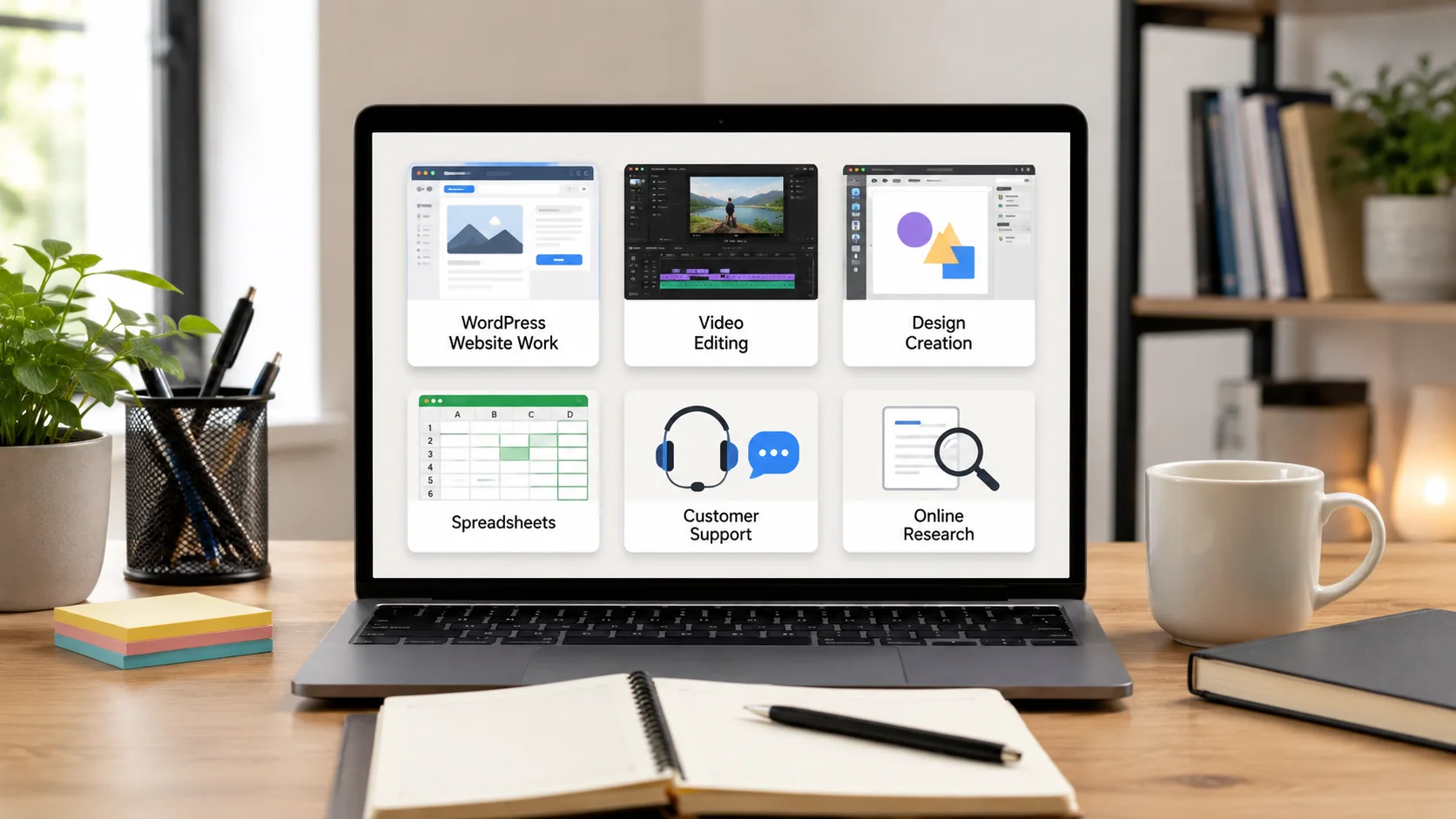
1. WordPress Setup and Content Formatting
Many website owners need help with work that is less complicated than full web development. This includes installing a theme, setting up pages, formatting articles, creating menus, compressing images, checking mobile layout, and fixing simple plugin settings.
Practice sample: Build a five-page demo website for a local service using a free local WordPress installation. Include Home, About, Services, Contact, and Blog pages.
Avoid: Promising security, speed, or custom coding work you do not understand. Keep backups before changing a client site.
2. Short-Form Video Editing
Creators and businesses need vertical videos for YouTube Shorts, Instagram Reels, and TikTok. Beginner work often includes cutting silence, adding captions, changing the aspect ratio, inserting screenshots, and keeping the pace clear.
Practice sample: Turn one two-minute public-domain or self-recorded clip into three short edits with different openings.
Avoid: Using copyrighted music or clips without permission. Also do not add so many effects that the message becomes hard to follow.
3. Canva Design for Everyday Business Needs
Not every client needs a full brand identity. Many need social posts, simple banners, price lists, menus, presentation slides, thumbnails, or basic advertisement graphics.
Practice sample: Create a matching five-post set for an imaginary restaurant or online shop. Show how the design looks on mobile.
Avoid: Copying templates without changing the layout, colours, and message. Check the licence of every photo, font, and graphic element.
4. SEO Content Updating
Beginner SEO work does not have to mean making ranking promises. A useful service can involve improving headings, removing repetition, adding internal links, answering missing questions, updating outdated examples, and making an article easier to read.
Practice sample: Take an old article you own and create a before-and-after document explaining each change.
Avoid: Stuffing keywords, inventing experience, or copying information from competitors. Helpful content should be written for the reader first.
5. Spreadsheet Organisation and Basic Data Work
Small businesses often have messy customer lists, expense records, inventory sheets, or survey results. Useful beginner tasks include cleaning rows, standardising dates, removing duplicates, adding formulas, creating filters, and building simple summaries.
Practice sample: Create a small sales tracker with income, fees, profit, monthly totals, and a clear instructions tab.
Avoid: Handling private customer data carelessly. Use secure file sharing and delete copies when the job is complete.
6. Virtual Assistant Systems
Virtual assistance is a group of practical skills: inbox organisation, calendar scheduling, research, file management, customer replies, and content scheduling. Reliability matters as much as speed.
Practice sample: Build a mock weekly calendar, organised Drive structure, and ten customer reply templates.
Avoid: Accepting access to sensitive accounts without clear permission and security steps. Use separate logins or delegated access when a platform supports it.
7. Product Listing Optimisation
Online sellers need titles, descriptions, specifications, image order, and category information that help buyers understand the product. This work is useful for eBay, Etsy, WooCommerce, Shopify, and marketplace sellers.
Practice sample: Rewrite three weak product listings using only accurate information supplied in the sample.
Avoid: Adding claims that cannot be verified, hiding important limits, or using competitor text.
8. Customer Support and Live Chat
Customer support work involves understanding a problem, checking the available information, and replying calmly. Good grammar helps, but clear thinking and patience are more important.
Practice sample: Write replies for ten situations, including a delayed order, refund request, login problem, confused customer, and feature question.
Avoid: Guessing when you do not know the answer. Learn when to escalate a case.
9. Basic Website Testing
Website testing can include checking forms, links, page speed, responsive layout, checkout steps, browser behaviour, and confusing instructions. A beginner can provide value by documenting problems clearly.
Practice sample: Test your own demo website on desktop and mobile, then create a report with screenshots, steps to reproduce each issue, and the expected result.
Avoid: Testing private systems without permission or trying to bypass security.
10. AI-Assisted Content Operations
AI tools can help organise notes, draft outlines, create variations, summarise meetings, or turn one approved piece of content into other formats. The valuable skill is reviewing the output, checking facts, protecting private data, and matching the client’s voice.
Practice sample: Take one article you wrote and turn it into a newsletter outline, five social posts, and a short-video script. Then edit every part by hand.
Avoid: Sending raw AI output, inventing sources, or uploading confidential client information into tools without permission.
11. Email Newsletter Setup
Small businesses and creators often need help preparing newsletters, checking links, formatting mobile layouts, organising subscriber tags, and scheduling campaigns.
Practice sample: Design a welcome email and a three-email educational sequence for an imaginary service.
Avoid: Buying email lists or sending messages without consent. Learn the anti-spam requirements that apply to the client’s audience.
12. Simple Research and Documentation
Good research work means finding reliable information, recording where it came from, comparing sources, and presenting the answer in a useful format. Businesses may need competitor lists, software comparisons, supplier research, or contact databases.
Practice sample: Compare five tools using price, key features, limits, official source links, and the date checked.
Avoid: Scraping private information, copying text, or presenting guesses as confirmed facts.
How to Pick the Right Skill
| Your Preference | Skills to Consider |
|---|---|
| You like technical problem solving | WordPress setup, website testing, spreadsheets |
| You like visual work | Canva design, video editing |
| You like writing and research | SEO updating, product listings, research documentation |
| You like organised routine | Virtual assistance, email setup, customer support |
A 30-Day Learning Plan
- Week 1: Learn the basic tools and copy no one’s work.
- Week 2: Complete one guided practice project.
- Week 3: Create two original samples without following a tutorial step by step.
- Week 4: Publish a focused offer and ask real people what is unclear.
Final Thoughts
A skill becomes valuable when it produces a result another person understands. Do not spend six months collecting certificates without creating anything. Learn enough to build a sample, find the weak parts, improve them, and then offer a small service with a clear limit.
Disclaimer: Income is not guaranteed. Software, platform rules, and job demand can change. Check current requirements before offering a service.