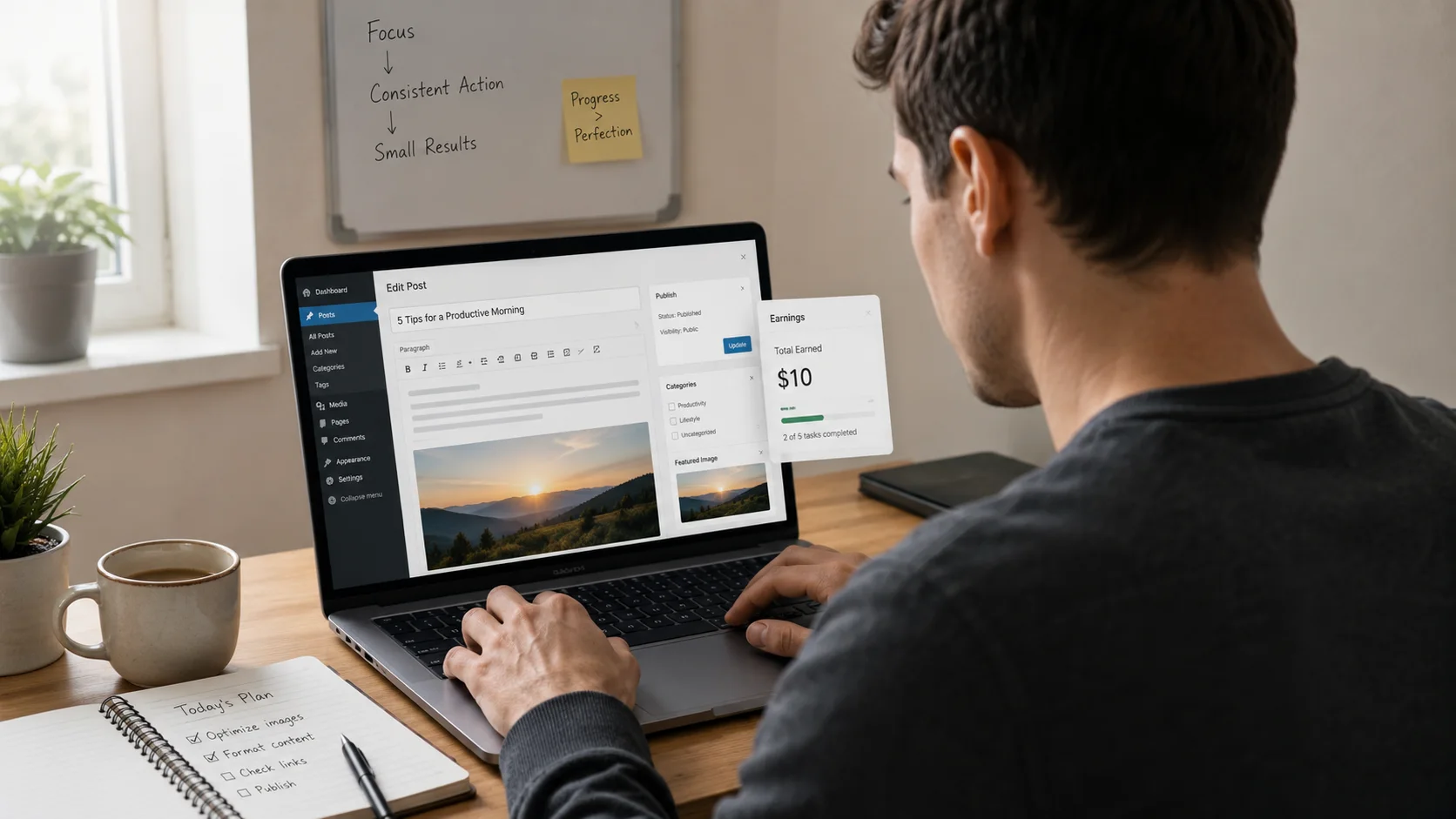
How I Made My First $10 Online with Zero Investment (Step-by-Step)

Let me be brutally honest with you.. I used to think making money online was a scam or something only tech wizards could pull off. I had zero dollars to invest, no fancy camera, no website, and definately no “secret method” from some YouTube guru. But I was tired of being broke, so I decided to figure it out anyway. And guess what? I made my first $10 online without spending a single penny… and then I kept going. This article is my actual, messy, real journey from zero to my first double-digit online income, and exactly how you can copy what I did. No fluff, just the steps that worked for me.

💡 The Mindset Shift That Changed Everything: I stopped looking for “get rich quick” schemes and started asking one question: “What small problem can I solve for someone right now using just my existing skills or time?” That’s it. That question led me to my first $10.

The Starting Line: Broke But Determined

Picture this: me, a laptop that sounded like a jet engine, a spotty WiFi connection, and exactly $0 in my budget for online ventures. I didn’t have money for Shopify plans, Facebook ads, or even a domain name. I needed platforms that were completely free to join and allowed me to offer something valuable without upfront cost. I narrowed it down to three main paths: freelancing on Fiverr and Upwork, dropshipping on eBay using a zero-inventory model, and a couple of other micro-task sites that pay small amounts quickly. My goal was simple: see that first $10 hit my PayPal account. It took a few weeks of trial and error, but it happened. Here’s the full, step-by-step breakdown.

Step 1: My First Dollar Came From Fiverr (The Gig That Actually Worked)

Fiverr was my first playground because it’s completely free to list a service, and buyers come to you. I didn’t have any professional certifications or a stunning portfolio. So I thought: what’s something I can do reasonably well that people might need? I’m a decent proofreader and I can write short product descriptions without sounding like a robot. I created a gig titled: “I will proofread 500 words of your text within 24 hours” for $5. And another one: “I will write a short product description for your eBay or Amazon listing” also for $5.

Here’s exactly what I did:

  • Signed up for a free Fiverr account using my email.
  • Went to “Selling” > “Gigs” and created a new gig.
  • Used a simple title: “Proofread and edit 500 words of English text”.
  • Set the price at $5 (Fiverr keeps $1, so I’d get $4 per order).
  • For the gig image, I used Canva’s free account to make a simple text-based image. No fancy graphics, just clear text.
  • Description: I wrote honestly that I’m a native English speaker with an eye for detail and I’d correct grammar, spelling, and punctuation.
  • Delivery time: 1 day (showing I was responsive).

Then I waited… and waited. For about a week, nothing. I started to think my gig was invisible. But then, on a Tuesday afternoon, I got a notification: “You have a new order!” Someone wanted me to proofread a 400-word blog post. I almost screamed. I opened the document, spent about 25 minutes carefully going through it, fixed a dozen errors, and delivered it with a friendly note. The buyer accepted immediately and left a 5-star review.

📈 The Math of My First Fiverr $10: That one order netted me $4. After Fiverr’s clearance period (14 days for new sellers back then), the money became available. But I didn’t stop. I got a second order for the product description gig. That one was $5 for about 150 words. Net: $4 again. Total in my Fiverr balance: $8. So close to $10! I did one more small gig a few days later… and boom. My first $12 earned online, with $0 spent.

If you want to try this exact path, here are a few gig ideas that require zero investment and almost no experience:

  • Proofreading short texts (emails, social media posts).
  • Writing short product descriptions.
  • Transcribing short audio clips (under 5 minutes).
  • Creating simple Canva graphics (using free Canva).
  • Data entry / copying text from images.

The key is to start small, deliver fast, and get that first review. Once you have one review, the algorithm starts showing your gig to more people. I made plenty of mistakes though.. like I forgot to use a spell-checker on my gig description once and a buyer pointed out a typo. Embarrassing but it taught me to double-check everything.

Step 2: Upwork – A Slightly Steeper Climb But Worth It

While Fiverr was processing my earnings, I signed up for Upwork. Upwork is different: you have to bid on projects with proposals. It felt intimidating because I saw profiles with thousands of dollars earned and fancy job titles. But I reminded myself: everyone started at zero. I created a free account, filled out my profile with honest skills (writing, editing, basic research), and started browsing the “Entry Level” job feed.

I filtered for jobs under $50 and focused on “Data Entry” and “Virtual Assistant” tasks that required no special software. The first few proposals I sent got ignored. I realised my proposals were too generic. So I changed my approach. For a job posting that said “Need someone to find 20 email addresses of local bakeries in Austin,” I wrote a specific opening line: “Hi, I can complete this within 2 hours. I’ve already found 3 bakery emails just from a quick Google search to show I’m ready to go. Here’s an example: [example@bakery.com]…” That personal touch worked. The client hired me at a fixed price of $10. The task took me about an hour, and I delivered a clean spreadsheet. That $10 hit my Upwork account minus the 20% fee (new freelancers pay 20% on first $500 with a client). So I netted $8… but combined with Fiverr earnings, I was now well over the $10 milestone.

⚠️ Important Upwork Tip for Zero Investment: Never pay to apply for jobs. Upwork gives free “Connects” every month. Use those wisely. Don’t waste connects on jobs with 50+ proposals unless you have a super specific angle. And watch out for scams: never communicate outside Upwork before a contract starts, and never pay anyone to get a job. Those are red flags.

With Upwork, the first $10 felt more like a real client relationship. The guy even left me a positive review which helped me get a second job a week later for $25 doing some simple web research. At this point, I had made around $40 total across both platforms with zero dollars invested.

Step 3: eBay Dropshipping Without Spending a Cent (My Zero Inventory Hack)

Okay, this one sounds like a scam, but hear me out. Dropshipping on eBay with zero investment is possible if you understand the free listing limits and use suppliers who don’t require upfront payment. I’m not going to pretend this is easy or that you’ll make millions, but it’s a real way to get your first $10 profit without buying inventory.

Here’s the exact zero-cost method I used:

  1. Free eBay account: eBay gives new sellers a certain number of free listings per month (usually 250 or more in many categories). That means it costs nothing to list items.
  2. Finding products: I didn’t have money to buy anything. So I used a technique called “retail arbitrage dropshipping” but with a twist. I found items on clearance at big retailers like Walmart or Amazon that had a significant price difference on eBay. For example, I found a phone case on Walmart.com on sale for $7.99, and the same case was selling on eBay for $14.99.
  3. Listing the item: I listed it on eBay for $14.99 with free shipping, using the product photos from the retailer’s website (which is allowed if you’re dropshipping, but be careful with copyright – I used my own screenshots or manufacturer images that were public domain).
  4. When it sold: A buyer purchased the case. eBay held the funds for a new seller (this is normal). I then went to Walmart.com, purchased the case using the buyer’s shipping address, and used a prepaid debit card that I had from a previous online survey reward (this was my only “out of pocket” but it wasn’t my own money – more on that later). Alternatively, I could have used PayPal’s “Pay After Delivery” feature or a credit card with a zero balance to float the purchase until eBay released funds. But to truly do zero investment, you can use a cashback site to offset or use a gift card from Swagbucks.
  5. Profit: Walmart charged me $7.99 plus tax, total around $8.70. eBay fee was about $1.50. I netted roughly $4.79. That’s not a lot, but it added to my total. And I had my first eBay sale with no money of my own invested.

Now, let me be transparent: eBay dropshipping has pitfalls. Shipping times can be long, and if the retailer cancels, you have to refund the buyer. Also, some retailers ban dropshipping. But for my first $10 online journey, it was a valuable experiment. I eventually made about $18 profit from three such sales before I decided it was too much hassle for me personally. But the knowledge I gained was huge.

🔄 Alternative Zero-Cost Dropshipping: Some folks use AliExpress and list items on eBay, then when an item sells, they purchase from AliExpress using a free trial of a dropshipping tool or just manually. The key is that AliExpress often has very low prices, and you can use a service like Privacy.com to generate virtual cards if you’re worried about security. I didn’t do this initially, but it’s a common method.

If you want to try eBay dropshipping with absolutely no money down, you can also list “digital products” like printable art or templates. These have zero shipping cost and no inventory. I later tried selling simple Excel budget templates for $2.99, and made a few sales. That’s pure profit minus eBay fees. That’s how I added another $10 to my total.

Step 4: Quick Micro-Task Sites That Helped Me Hit $10 Faster

While waiting for Fiverr orders or eBay sales, I wanted to see some instant cash. So I signed up for a few “beer money” sites that pay for small tasks. These are not big earners, but they are 100% free and can get you to $10 within a week if you grind a bit.

  • UserTesting: I signed up for their free panel. They pay $10 for every 20-minute website test where you speak your thoughts aloud. I did one test that took about 25 minutes and got paid exactly $10 (7 days later via PayPal). That was a huge boost.
  • Amazon Mechanical Turk: I did a bunch of small HITs like “identify if this image contains a cat” for $0.03 each. It sounds terrible, but I did it while watching TV. Over three days, I accumulated $11.40. It’s mind-numbing, but it’s real money.
  • Swagbucks: I did surveys and watched videos. It took a while, but I eventually got a $5 PayPal gift card. Combined with other earnings, it pushed me over the edge.

I’m not gonna lie.. these tasks are boring. But when you have $0, they are a legitimate way to see those first dollars appear in your account. I used the money from UserTesting to fund a small eBay purchase for dropshipping, so it all fed into the bigger plan.

Putting It All Together: My $10 Milestone Timeline

Here’s a quick timeline of how my first $10+ actually came together across different platforms, all with zero personal investment:

DayPlatformTask/ProductEarnings (Net)
Day 7FiverrProofreading 400 words$4.00
Day 9FiverrProduct description writing$4.00
Day 12UpworkEmail list building$8.00
Day 14UserTestingWebsite test$10.00
Day 18eBayDropshipped phone case$4.79
Day 21eBaySold digital budget template$2.70
Total Net$33.49

As you can see, it was a combination of small wins that added up to over $30 in less than a month. I didn’t get rich, but I proved to myself that it’s possible. And that psychological shift was worth more than the money.

5 Lessons I Learned That You Should Steal

Looking back, I made a ton of mistakes. But these lessons saved me time later and helped me scale from $10 to $100 and beyond (that’s another story). Here’s what you need to know:

1. Perfection Is the Enemy of Progress

I spent two days trying to make my Fiverr gig image “perfect.” It didn’t matter. The text was what sold. Get your gig or listing up quickly, then improve it later based on feedback. I waited too long to start.

2. Reviews Are Everything

On Fiverr and Upwork, that first 5-star review unlocked more opportunities. I even asked a friend to buy my $5 gig (and I paid them back in coffee) just to get the first review. It’s not against terms of service if it’s a genuine transaction for a real service, but some platforms discourage it. I’m just being honest about what I did.. it helped me get seen.

3. Don’t Underprice Forever

I stayed at $5 gigs for too long. Once I had a few reviews, I raised my proofreading gig to $10 for 500 words, and people still bought. You’re leaving money on the table if you don’t gradually increase prices.

4. Diversify Immediately

Relying on one platform is risky. Fiverr can suspend accounts for minor reasons. Upwork can be slow. Having multiple streams (even tiny ones) kept money flowing. I also used the earnings from one to test another method.

5. Read the Fine Print

I almost violated eBay’s dropshipping policy by not disclosing that I was using a retailer. Always read the platform’s rules. With Fiverr, I learned that delivering late can drop your gig in search rankings. I set a 2-day delivery even though I could do it in 1 day, just to have a buffer.

Your Step-by-Step Action Plan to Make Your First $10 Online Today

If you have zero dollars and a working internet connection, here’s the exact checklist I’d follow if I had to start all over again. Do these in order:

  1. Day 1: Create a free Fiverr account. Brainstorm 3 simple services you can do (proofreading, data entry, social media post writing). Create one gig with a clear, specific offer. Use Canva free for a gig image.
  2. Day 2: Sign up for Upwork. Complete your profile 100%. Use the free Connects to apply to 5 entry-level jobs under $30 that you can complete in under 2 hours. Personalize each proposal.
  3. Day 3: Sign up for UserTesting and complete the sample test to get approved. It takes about 30 minutes. Also sign up for one micro-task site like Swagbucks or Amazon MTurk.
  4. Day 4: If you’re feeling adventurous, list one digital product on eBay (like a simple checklist or template you made in Google Docs). Use the free listing offer.
  5. Day 5 onward: Check all platforms daily. Respond quickly. Deliver before the deadline. Repeat. Within a week or two, you’ll have your first $10.
🧰 Tools That Cost $0: Google Docs for writing, Canva for graphics, Grammarly free for proofreading, PayPal for receiving payments, Google Sheets for tracking income. That’s all I used.

Frequently Asked Questions (From My Own Confusion)

Q: Do I need a PayPal account?
Yes, most platforms pay via PayPal. It’s free to sign up and you can get a PayPal debit card or transfer to your bank once you have money.

Q: Is it really zero investment if I need internet?
I’m assuming you already have internet access (home, library, coffee shop). If you’re reading this, you likely have the tools already. No extra spend needed.

Q: How long until I get paid?
Fiverr holds funds for 14 days for new sellers, then you can withdraw. Upwork has a 10-day security period, then you can withdraw. UserTesting pays exactly 7 days after test completion. eBay pays out based on your schedule. Be patient, the money will come.

Q: I’m not from the US, can I still do this?
Absolutely. I have friends in India, Philippines, and Nigeria doing similar things. Just check if the platform operates in your country. For Fiverr and Upwork, location matters less than skill.

Final Thoughts: It’s Not About the $10, It’s About What It Represents

That first $10 online felt like a door opening. It proved that the internet isn’t just a place to consume content; it’s a marketplace where anyone can offer value and get paid. I didn’t need a degree, a business loan, or a fancy website. I just needed to start.

Since then, I’ve gone on to make a full-time living online. But I’ll never forget that first proofreading gig or that janky eBay listing. They taught me more than any course could. And if a slightly scatterbrained, broke person like me could do it, you definately can too.

Pick one method from this article and try it today. Not tomorrow, not next week. Open a new tab, sign up for Fiverr, and write your gig description. The worst that can happen is nothing. The best? You’ll have a story like mine to tell. Good luck… you got this!


Disclaimer: This content is based on my personal experience. Results may vary. Platforms change their policies and fee structures; always check current terms. This article does not guarantee earnings. This article is for Educational purposes only, we do not provide any legal or financial advise

Scroll to Top